TimeLedger · Time tracking and billable-hours invoices

Track your team's hours, then invoice them

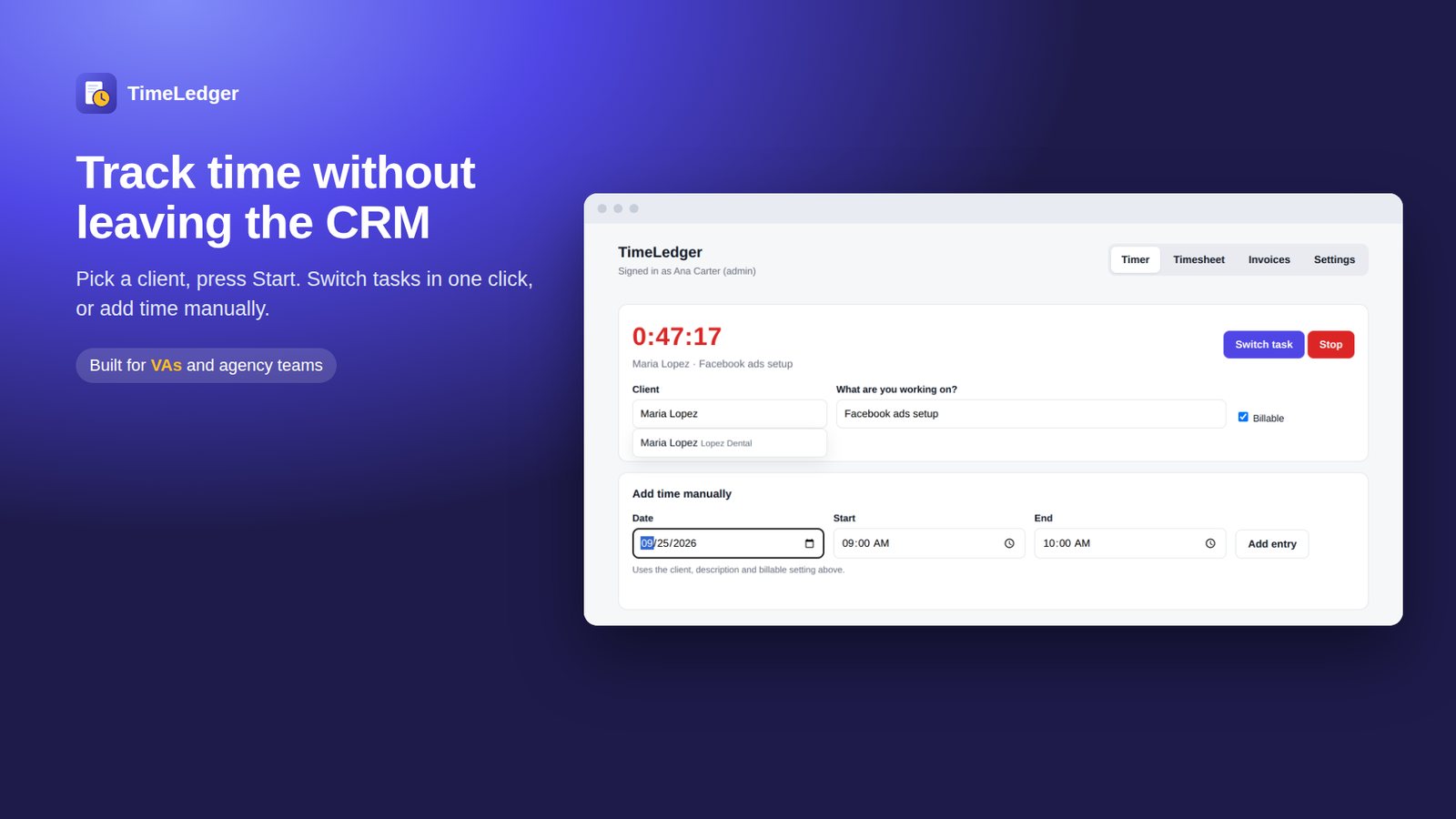
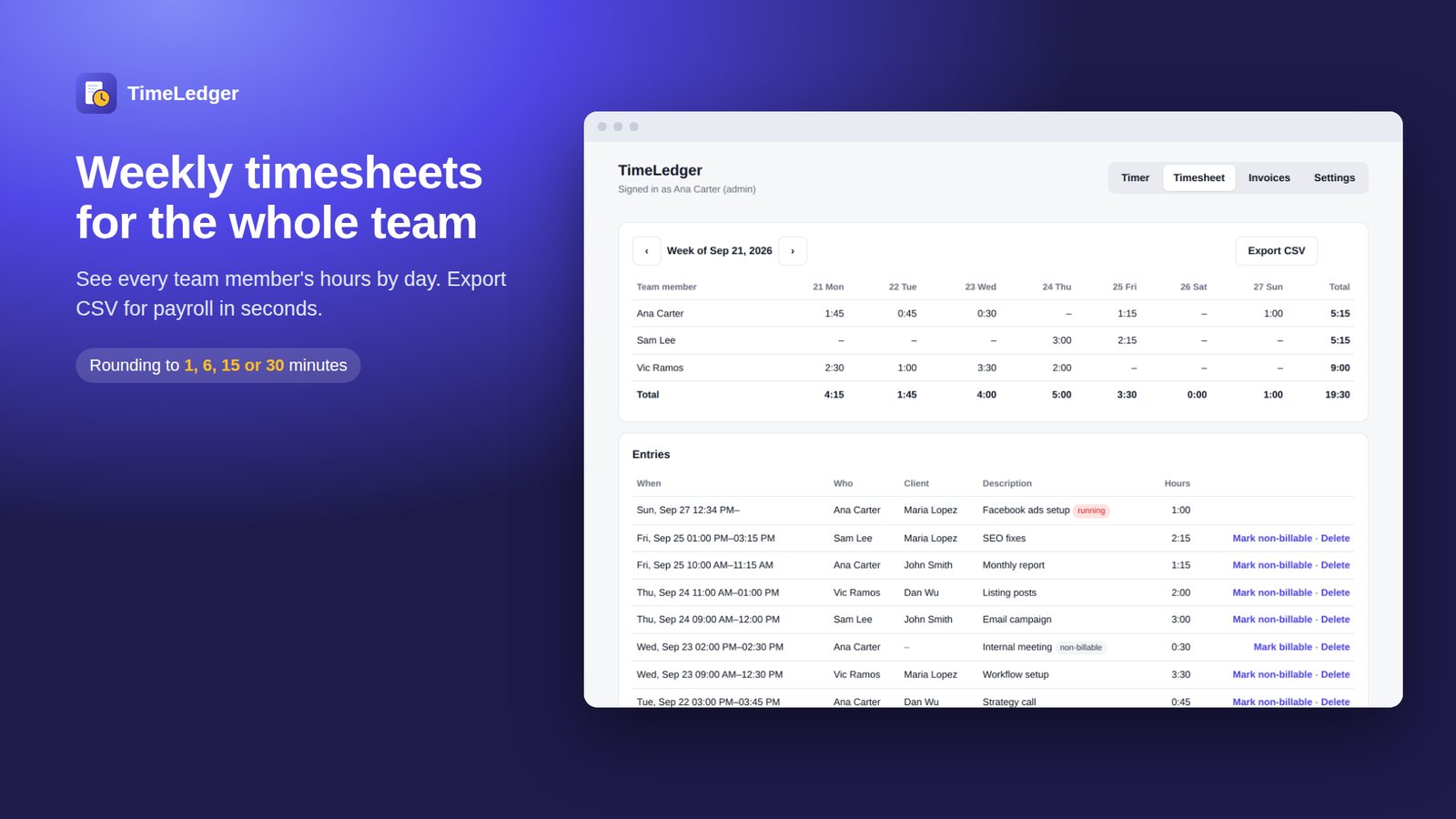
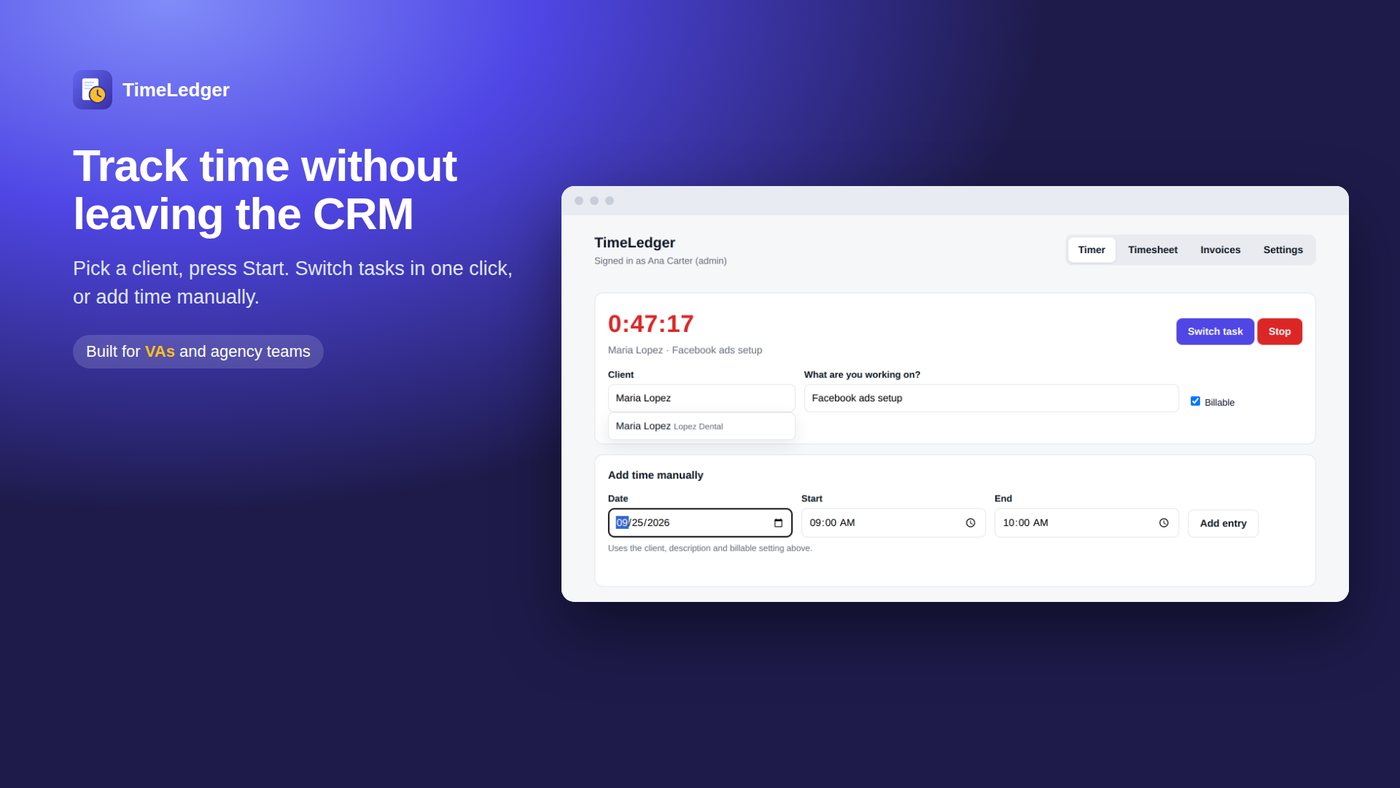
TimeLedger lets your team track time against contacts with a one-click timer. Admins see weekly timesheets, set hourly rates, and turn unbilled billable time into draft invoices in one click.

Live now in your CRM's app marketplace. 14-day free trial, nothing to configure.
TimeLedger screenshotWatch the 60-second demo →

The problem

Hours get reconstructed from memory

Friday afternoon guesswork is how billable time quietly disappears.

Retainers overrun without anyone noticing

A client on 10 hours a month passes 14 and nobody finds out until it is too late to charge.

Invoicing means re-typing everything

Hours live in one tool, invoices in another, and somebody copies between them.

How it works

  1. 1

    Set an hourly rate

    A default for the team, and an override per person if you need one.

  2. 2

    Everyone tracks their own time

    One click to start, one to stop, attached to the contact they worked on. Manual entries too.

  3. 3

    Invoice the billable hours

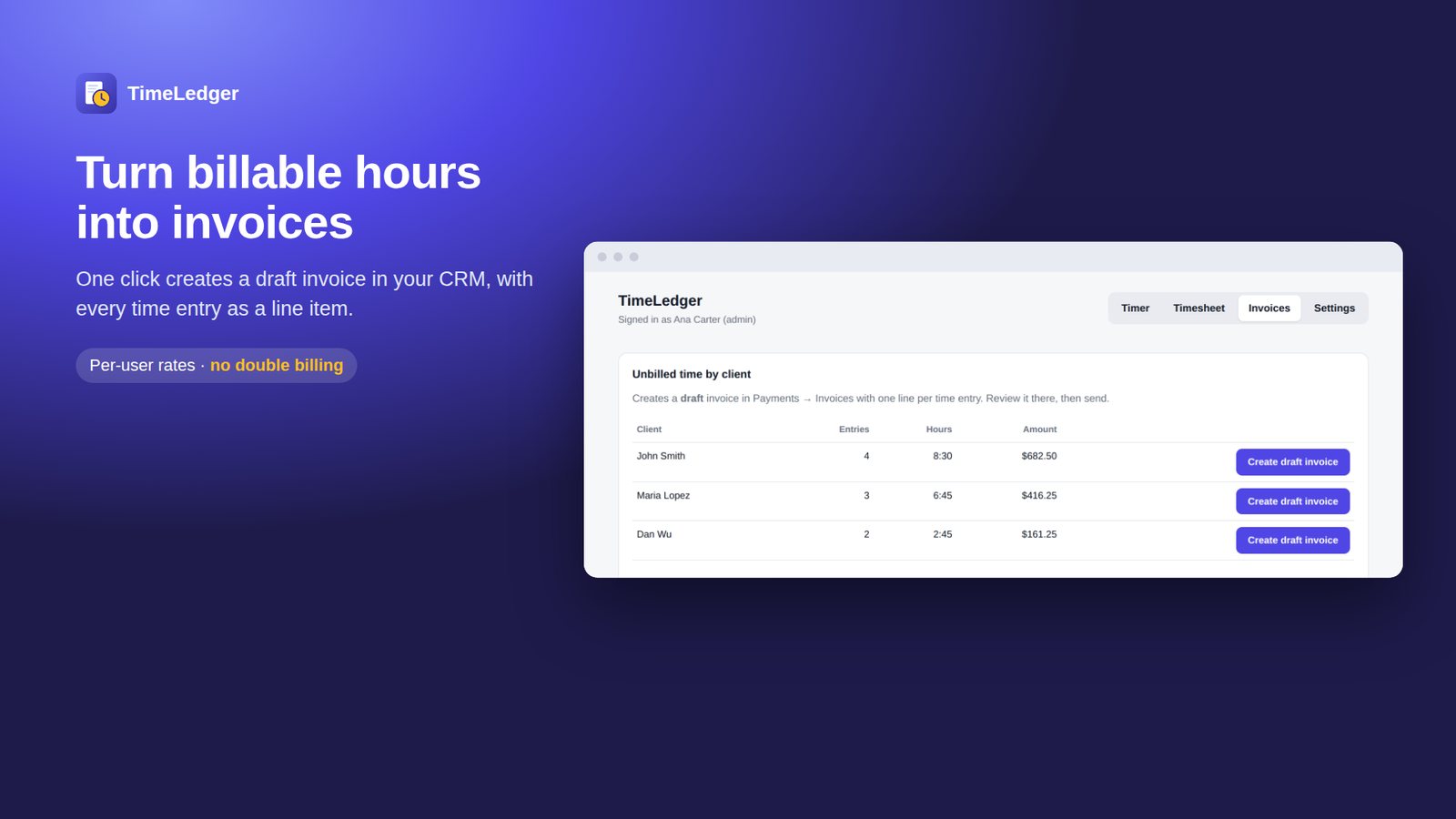
    Review unbilled time and create draft invoices in a click. Nothing is sent to a client automatically.

See it in 60 seconds

The real app, recorded end to end – install, setup and daily use.

What you get

One-click timer

Start and stop against a contact. Or log an entry by hand after the fact.

Weekly timesheets

The whole team's week in one grid, with CSV export.

Rates per person

A default rate, overridden per team member where it differs.

Monthly hour plans

Retainer hours per client, with used/left and warnings at 80% and 100%.

Draft invoices

Built from unbilled billable time. You review and send them yourself.

No seats to manage

Anyone with access to the sub-account can track time. No invites, no per-seat fee.

A closer look

TimeLedger screenshotTimeLedger screenshotTimeLedger screenshot

Pricing

Standard

$15 / month
  • Unlimited team members
  • Weekly timesheets and CSV export
  • Hour plans and draft invoices

14-day free trial. One flat price per sub-account with unlimited team members – no per-seat or usage fees. Billed monthly through the marketplace, cancel anytime.

Questions

How do I add team members?

You don't. Anyone who already has access to the sub-account opens TimeLedger and tracks their own time. They appear in your team list after their first entry.

Who can see the whole team's hours?

Admins. Everyone else sees only their own timer and entries.

Is there a charge per team member?

No. One flat monthly price per sub-account, unlimited people.

Are invoices sent automatically?

Never. TimeLedger creates drafts; you review and send them.

Try it on one sub-account

Install it from your CRM's app marketplace. The 14-day trial costs nothing and setup takes about a minute.

Watch the demo first

Privacy policy · Terms