Never ship a blank engraving again.
EngraveSafe checks every personalized order the moment it comes in. If the engraving text or other details are missing, it holds the order and asks the customer — automatically.
Live on the Shopify App Store. Seven days free, then $19 or $49 a month. The demo runs on sample data — no install, no sign-up.
Personalized orders slip through.
A small gap in your product options turns into an email chase, a delay, or a remake you pay for.
Option fields break
A theme update hides the personalization field and nobody notices for days.
Checkouts skip it
Express checkouts and quick-buy buttons can bypass your product options entirely.
You find out on the bench
By then it is an email chase, a delay — or a remake you pay for.
The difference is where it gets caught.
The same order, with and without the check. Everything up to the second step is identical.
- Order arrives with the engraving field empty
- Nothing flags it, so it joins the production queue
- A blank or wrong item is cut, printed or engraved
- Remake, refund, or a customer who does not come backThe material is gone either way
- Order arrives with the engraving field empty
- The order is held before it reaches production
- The customer gets a short form and fills in the detail
- The answer lands on the order and the hold liftsUsually within the hour, with nobody chasing it
Three steps, then it runs itself.
Point it at your personalized products once. Every new order is checked from then on.
Tell it which products are personalized
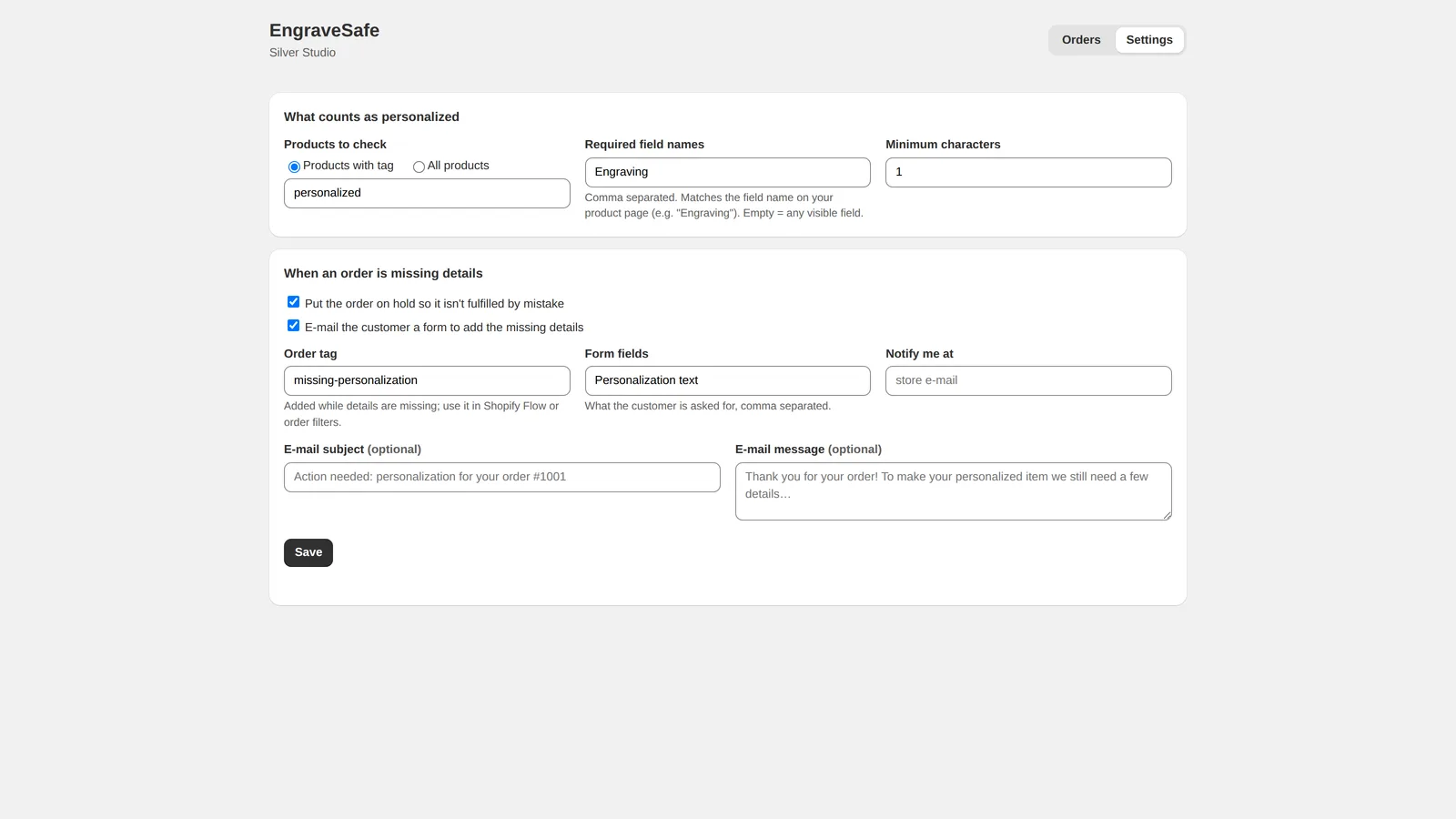
Either every product, or only the ones carrying a tag you choose. You can also name the fields that have to be filled in. Works with any product options app.
Every new order is checked
Missing details? The order is held and tagged so nothing is made or shipped by mistake.
The customer fills in a short form
Their answers are saved on the order and the hold is released automatically.
Everything the check needs.
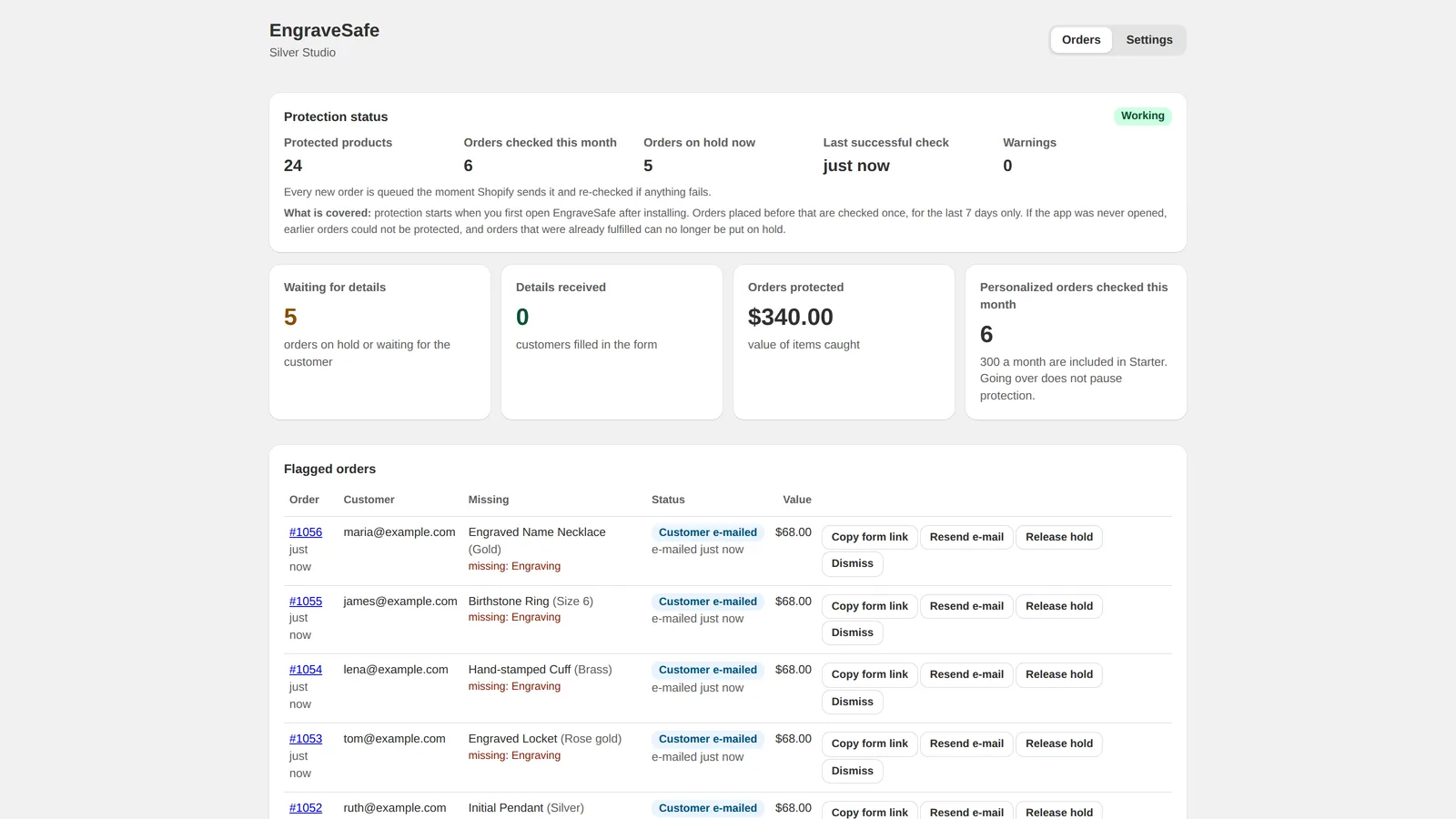
No dashboard to learn. It works inside the order flow you already use.
Instant order check
Flags personalized orders that arrived without the required details.
Fulfillment hold + tag
The order is held and tagged so it is not produced or shipped by mistake. An order already fulfilled cannot be held — you get a warning naming it.
Customer form
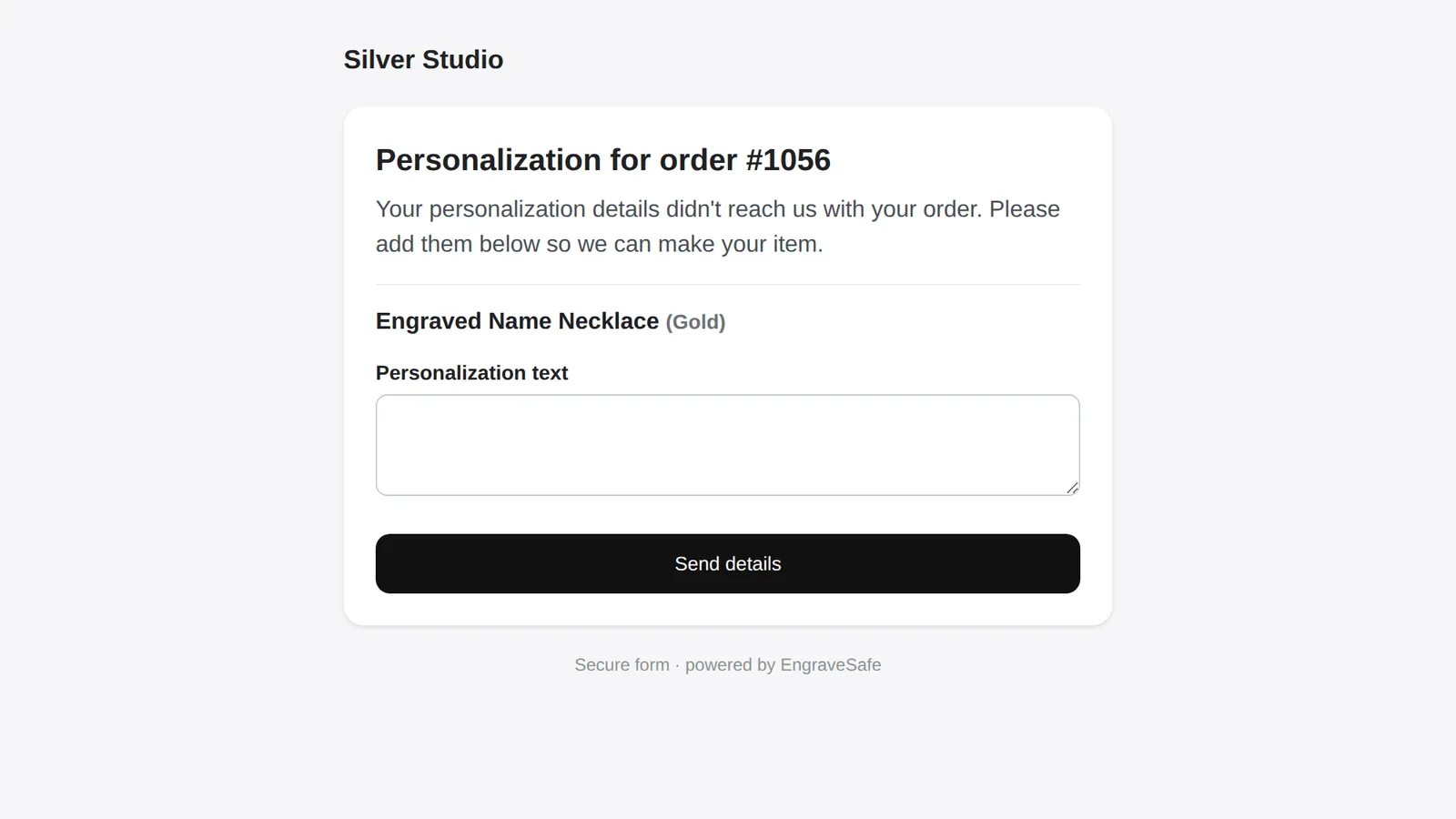
A short, secure form — answers land on the order and the hold is released.
Order tag
Flagged orders are tagged, so you can filter them or use them in Shopify Flow.
7-day catch-up
On install it checks the last 7 days, so orders already in the queue are not missed.
You get told too
A short notification lands in your inbox whenever an order needs the customer.
Seven days free, then pick a plan.
Starter
- 300 personalized orders a month included
- Holds, tags and customer emails
- Answers written back onto the order
- $190 a year — two months free
Pro
- 2,000 personalized orders a month included
- Everything in Starter
- $490 a year — two months free
Billed through Shopify, cancel any time. The included number is what the plan covers, not a cut-off: going over it does not pause protection and is not charged extra.
Good to know.
Does it work with my product options app?
Yes. EngraveSafe reads the order's line-item properties, which every options app writes to.
What does my customer see?
A short, mobile-friendly form with your store name. Open the demo form.
Will it hold every order?
No — only personalized orders with missing details. Holding is optional; you can just tag and email.
What data does it keep?
Only what is needed for the check: order items, the personalization answers, and the customer's email address so the form can be sent. No customer name is ever requested or stored.
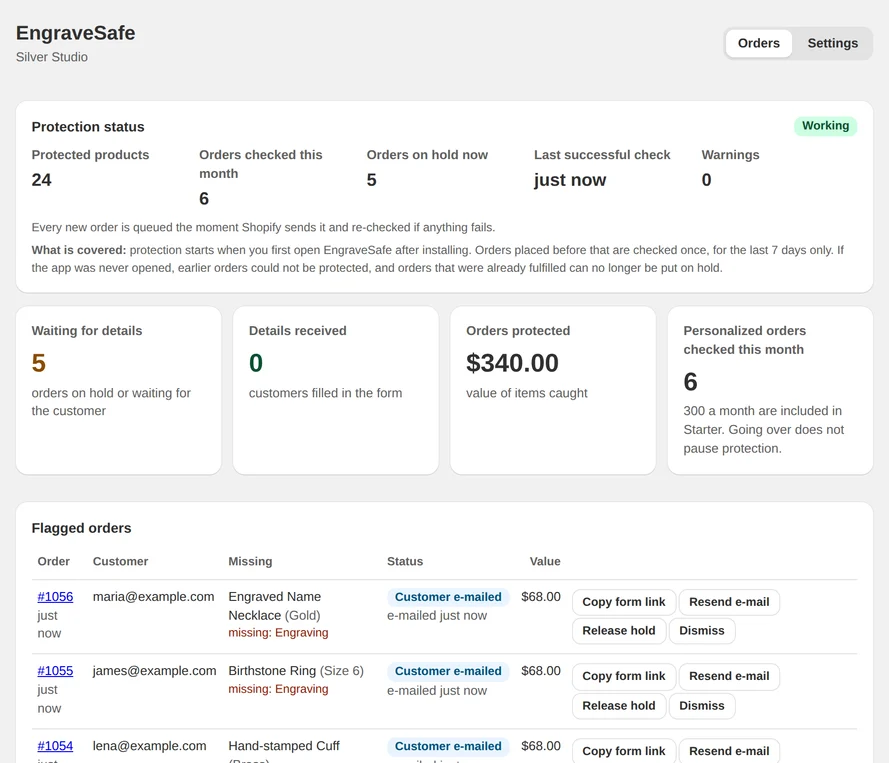
The demo is the real app.
Running on sample data. Click around — nothing can break.
Nineteen seconds, recorded from the app running: an order arrives without its engraving text, the customer fills in the form, the answer lands on the order.
Three screens, and that is the whole app.
No dashboard to learn. You open it when something needs you, and most days nothing does.